
VR homework assignments are popping up in classrooms and home study routines more than ever before. With virtual reality headsets and apps now widely available, educators are trying out new ways to get students interested in learning. Instead of paper worksheets and textbook readings, VR homework puts you right into a 3D simulation. Imagine exploring ancient cities or running a science experiment from your bedroom. If you’ve been curious about whether these high-tech assignments actually work, you aren’t alone. I’ve tried out several VR apps and spoken with teachers and students to get the inside story. Here’s a practical look at what works, what doesn’t, and what’s still being figured out.
What Are VR Homework Assignments?
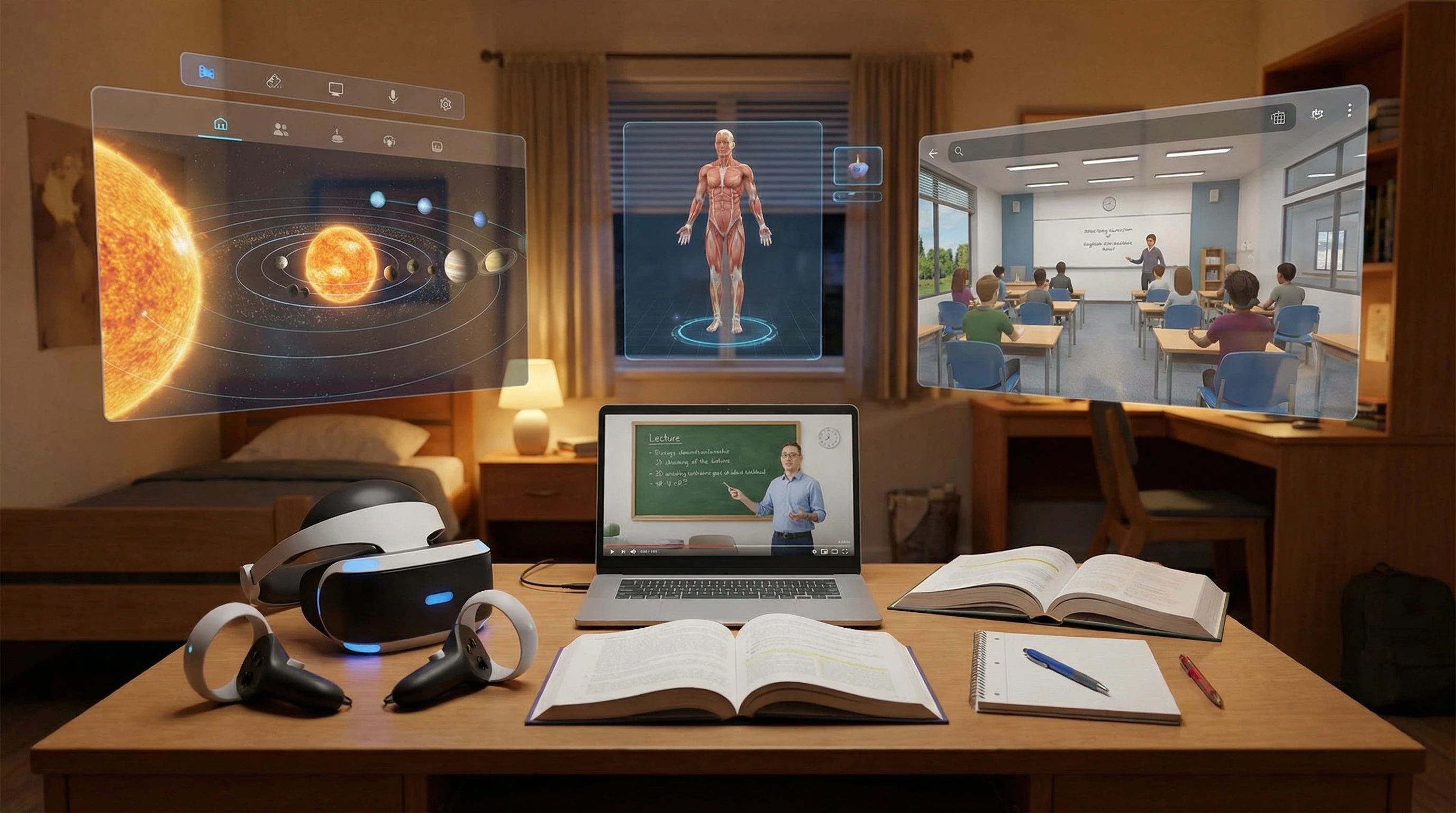
VR homework assignments use virtual reality apps or programs to teach or reinforce lessons. Instead of reading or watching traditional videos, you might put on a headset and walk through a historical location, solve virtual math puzzles, or test your knowledge in interactive 3D challenges. Some VR platforms give you the chance to design your own experiments or simulations, making the learning experience much more hands-on. Often, these assignments are part of a blended learning approach, combining digital and traditional tasks.
Schools and teachers who want to spark interest—especially for subjects that sometimes feel boring—find VR to be a surprisingly effective tool. You aren’t just picturing what ancient Rome was like or how molecules fit together. You’re seeing it surround you. For students who learn by doing, this is a total game changer.
How VR Homework Changes the Learning Experience
Immersive assignments go beyond simple novelty; they fundamentally change how you process and remember information. One huge advantage is the sense of presence—you feel like you’re “inside” the lesson rather than peering in from outside. This helps students who would otherwise zone out when faced with endless reading or basic worksheets.
- Active Participation: VR assignments get you moving and interacting, not just reading or passively absorbing information.
- Multisensory Input: Sight, sound, and sometimes even hand motions combine to help with memory and understanding.
- Instant Feedback: Many VR apps quickly let you know if what you did is correct, so you find out right away what works and what you need to fix.
Teachers I’ve chatted with notice that students who use VR tend to keep at their assignments longer. They also remember key details better than those using regular worksheets. Of course, every student is different—some do better with VR while others stick with the classics.
Practical Steps for Trying VR Homework at Home or in Class
You don’t need to be a tech genius to get started with VR homework. The right hardware and some basic instructions go a long way. Here’s how I made my own experience smoother and more rewarding:
- Choose Userfriendly VR Hardware: There’s no need for expensive gear. Simple headsets like the Meta Quest or even cardboard goggles that use your phone are enough for most assignments.
- Find Free or Low-Cost Apps: Programs like Google Expeditions, CoSpaces Edu, and Engage offer plenty of free or cheap content on history, science, and coding.
- Follow Instructions Closely: Most schools lay out clear steps for getting started. VR apps also usually have handy guides for getting your bearings.
- Document Your Progress: Teachers might want screenshots or app-generated progress reports, so make sure to log your efforts as you go.
- Mix in Traditional Study Habits: Taking notes or reflecting after a VR lesson helps bridge the gap between the virtual and real world.
It’s smart to set up your VR space somewhere safe and open to avoid running into things. If you don’t have a VR headset, many apps offer a “360 mode” for computers, which still lets you interact in a different way.
Common Challenges (And Smart Solutions)
Like any new tool in the classroom, VR homework brings its fair share of bumps in the road. Here are the challenges I’ve seen most—and how you can smooth things out:
- Device Access: Not everyone owns a VR headset. Ask your school about loaner gear or check if there’s a 2D version for phones and tablets.
- Connectivity: Some apps require solid Wi-Fi or need to be downloaded in advance. Plan ahead and ensure your internet connection is reliable.
- Motion Sickness: Some people feel dizzy after using VR. Stick with slower activities and take frequent breaks to avoid discomfort.
- Technical Hiccups: Apps sometimes freeze or crash. Restarting usually helps, and there’s often tech support available for educational platforms.
Device Access
Getting your hands on hardware remains the biggest hurdle. Classroom sets can be pricey, and they aren’t common everywhere. If you’re at home, check with your school’s technology team or see if libraries in your area loan VR gear. Some applications offer “Lite” versions for other devices, which makes participation easier.
Motion Sickness
If you feel sick or get a headache while using VR, you’re not the only one. I found that sticking to slower environments and taking regular breaks really helped. Everyone’s tolerance is different, so listen to your body.
Making It Memorable
Writing a quick reflection or chatting with classmates about your VR experience helps cement what you learned. Teachers emphasize the value of linking virtual lessons to real-world conversations, which can double your retention.
Pro Tips for Successful VR Homework
With more schools rolling out VR assignments, here are some tricks I’ve picked up to help students and parents get the most from these digital lessons:
- Understand the Assignment Goals: Knowing what you’re supposed to explore in VR will make the session much more productive.
- Use Headphones: Good audio is a big part of what makes VR engaging. Headphones cut distractions and immerse you in the activity.
- Write Down Questions: If you get lost or something doesn’t make sense, stop and take notes. Teachers love when you dig into ideas or ask for clarification.
- Mix and Match Methods: Doing a regular worksheet before or after your VR lesson helps you spot what you’ve learned and what needs more practice.
These approaches work across grade levels and make VR so much more than a temporary novelty.
Real-World Examples: What’s Working for Students and Teachers?
In science, virtual experiments and labs are a major draw. Students get to dissect virtual frogs or combine chemicals in completely safe environments. History classes allow virtual explorations—you might wander through the streets of ancient Greece or visit Mars. Even in language classes, teachers now set up virtual conversation groups, offering a comfortable space for shy students to practice.
- Science Labs: Risk-free and affordable compared to traditional labs, especially in under-resourced schools.
- History Field Trips: Destinations that would be impossible in real life, like Mars or ancient Egypt, become accessible to everyone.
- Language Practice: Virtual settings help students build confidence in listening and speaking skills.
Many schools report higher participation and enthusiasm, particularly among students who were previously less engaged. Teachers notice students discussing what they’ve learned and even taking a lead in class conversations.
Frequently Asked Questions About VR Homework Assignments
Question: Will VR homework replace traditional books and worksheets?
Answer: Not anytime soon. VR is used as a supplement alongside regular assignments, aiming to reach different learning styles.
Question: Do I need special hardware at home?
Answer: Some VR lessons work on phones or computers, but a headset delivers the full effect. Schools typically supply necessary gear if required.
Question: Is VR homework harder to complete?
Answer: Not necessarily. There may be a short learning curve, but most students find VR lessons engaging and easier to recall.
Are VR Homework Assignments Actually Effective?
Whether VR homework leads to better learning boils down to how it’s put to use. Research and classroom experience suggest that immersive assignments can enhance focus and memory for many students. The excitement of being “in the moment” makes the material more interesting. It’s not just fun and games—hands-on simulations can clarify ideas that regular homework might leave vague.
Even so, the best results come from balancing VR with traditional approaches. VR is excellent for visualizing tricky topics and exploring places you can’t get to in real life, but classic note-taking, reading, and discussion are still vital. Teachers and families should mix things up to cover different learning needs and avoid too much screen time. For most students, VR homework is shaping up to be both an enjoyable and productive addition to their toolkit.