
VR gaming is getting more and more popular, but for a total beginner, the idea of strapping on a headset and waving controllers around can feel a bit overwhelming. When I first tried virtual reality (VR) gaming, I was blown away by how different it felt from playing on a regular console or PC. There’s so much cool tech and new ways to play, but jumping in isn’t always straightforward. Here, I’ll show you the basics of VR gaming, share the gear you’ll need, and toss in some tips that make starting out a lot smoother.
Understanding What VR Gaming Is
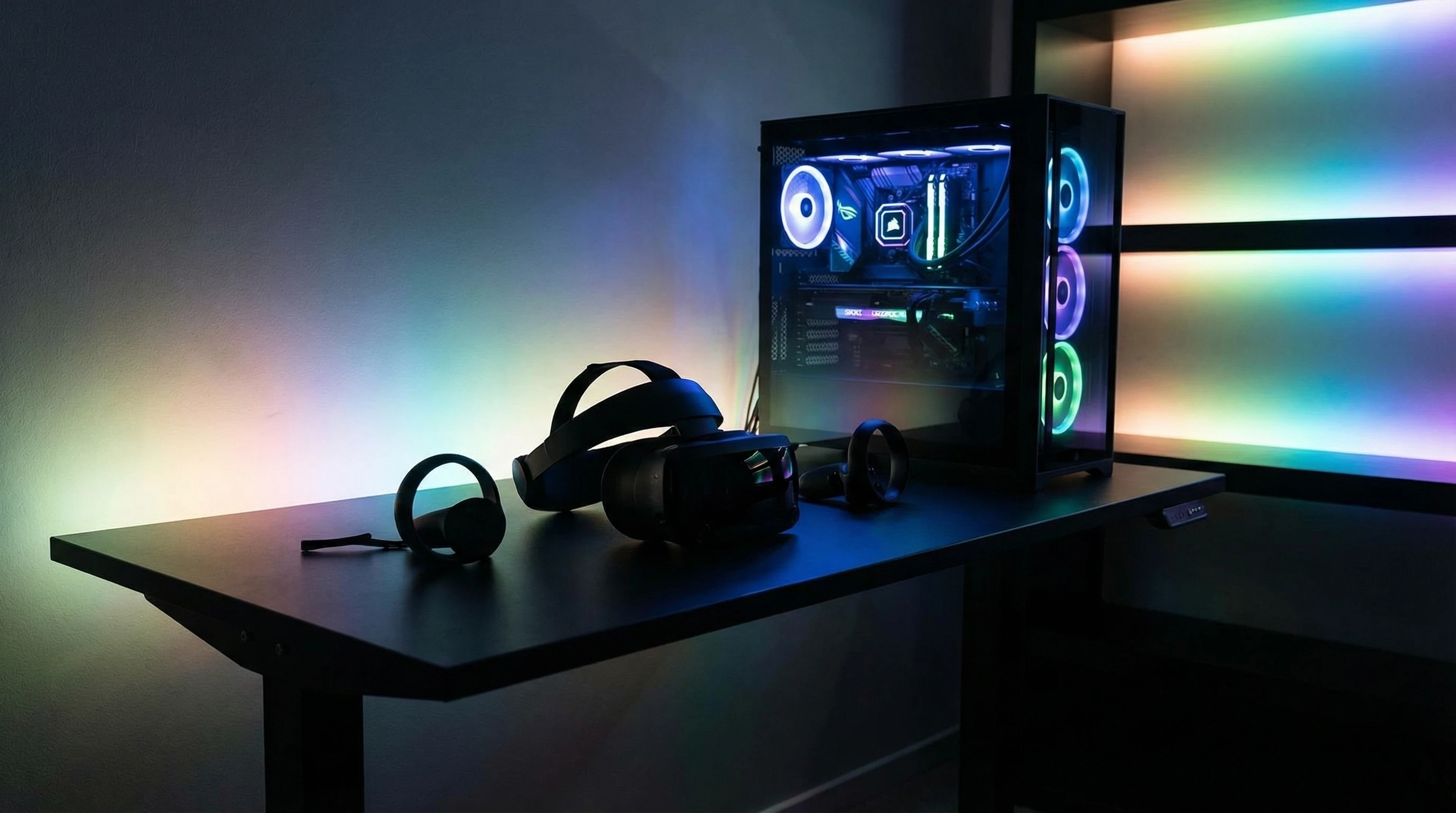
VR gaming lets you interact with digital worlds by tricking your senses so you feel like you’re literally inside a game. Instead of looking at a flat screen, you pop on a headset and get surrounded by 3D visuals that move with your head. Special controllers track your hand movements, and some games even use your body for motion control. That sense of immersion is one of the biggest draws for new players.
There are two main things that make VR gaming unique for me. First, the sense of presence feels real; you can look around, duck, and reach out to virtual items. Second, your actions are mapped in real time. You swing a virtual sword, draw a bow, or throw a punch, and it feels so much more personal than just tapping buttons on a regular controller. This instant feedback is why so many people end up enjoying VR more than they expected.
Essential VR Equipment for Beginners
Before you get into playing VR games, you’ll need some basic gear. Here’s what’s usually required for a beginner VR gaming setup:
- VR Headset: This is the most important piece. It straps to your head and displays the game world in 3D all around you. Some popular options you’ll see out there include the Meta Quest series (standalone), PlayStation VR2, and the Valve Index (PC-required).
- Controllers: VR controllers let you grab, point, and interact with the virtual world. Most headsets come with one or two hand controllers that track your movements so your hand motions end up right in the game.
- PC or Console (if needed): Certain VR headsets need a powerful gaming PC or a PlayStation console. On the other hand, the Meta Quest series works on its own but also links to a PC for beefier games.
- Tracking Sensors (sometimes built-in): These keep track of your head and hands. Some newer headsets use cameras built into the headset, while others need little sensors you place around your room.
Getting some decent gear is important, but you don’t have to buy the fanciest headset right away. I started out with a budget option, and it was totally fine for lots of beginnerfriendly games. Want a quick rundown on different headset options? Tom’s Hardware’s VR guide does a solid job comparing what’s out there.
Quick Steps to Get Started With VR Gaming
Once your headset and controllers are ready to go, it’s time to jump in and start playing. Here’s a quick and practical guide to kicking off your VR gaming adventure:
- Clear Your Play Space: Make sure you have enough room to move without bumping into anything. Most setups recommend at least a 6×6 feet area. Move furniture, wires, or any tripping hazards out of the way. It really pays to double-check your space each time before a VR session.
- Set Up Your Headset: Follow the manufacturer’s instructions to connect and adjust your headset. Proper calibration will give you the best visuals and prevent stuff from looking blurry or making you dizzy.
- Try the Included Tutorials: Most headsets provide demo experiences or interactive tutorials to teach you the basics step by step. These are super useful for getting the hang of using your hands, moving around, and interacting with objects in a way that feels natural.
- Download Beginnerfriendly Games: Start simple! Titles like Beat Saber, Job Simulator, or Moss are all great choices; they don’t require advanced skills or a ton of movement, and they’re super fun.
- Take Breaks: VR can feel intense if you’ve never tried it before. Start with short sessions—maybe 15 to 30 minutes—and give yourself a break to avoid eye strain, motion sickness, or feeling fatigued.
These steps make your very first sessions of VR gaming much smoother. Most people, myself included, need a little time to adapt to the new sensations. Taking things slow and picking the right games helps you ease into it and enjoy the ride.
What to Know Before Investing in VR Gear
VR headsets and accessories are a real investment, so there are a few things you should think about before diving in:
- Budget: VR headsets can range from under $300 to more than $1000, depending on the model and whether you’re adding accessories. Pick what fits your budget and long-term interest; a midrange headset is usually perfect for beginners who want a good balance of quality and price.
- Comfort and Fit: Headsets vary in weight and how they rest on your face. If possible, try one in a store or check user reviews to see if it feels comfortable for longer sessions, since comfort can make a big difference.
- Space Needs: Some VR games need a larger, open space for movement, while others can be played seated or standing still. Think about your living space and whether you can dedicate an area to VR.
- PC Specs or Console Compatibility: If your headset isn’t standalone, doublecheck that your PC or console is powerful enough to run VR games smoothly. If you don’t, performance may suffer and you won’t be able to make the most of what VR has to offer.
Looking up reviews and asking questions in VR communities online can help you decide if a certain headset is right for you. Sites like Reddit’s VR community are really welcoming if you have gear questions and want some honest opinions from actual users.
Common Challenges for VR Beginners
Jumping into VR can come with a few curveballs. Here are some of the common ones I ran into and how you can work around them:
- Motion Sickness: Occasionally, people feel dizzy if they move too quickly in VR. Stick with games that let you stand still or move slowly, then ease into more movementheavy games over time. If you feel woozy, close your eyes for a moment or remove the headset for a break. Most people adjust after a few sessions, so don’t be discouraged if you need to take it slow at first.
- Controller Confusion: Learning new controller layouts can feel awkward at first, and accidentally pressing the wrong button is super common. Practice in easy, lowpressure games so you get used to the controls and build confidence before tackling more complex experiences.
- Cable Management: Tethered headsets come with wires that can trip you up, so clip cables overhead or behind you if you can, or look into wireless accessories.
- Eye Strain: Adjust the headset for clarity and keep your game sessions short when starting out. Take frequent breaks, blink regularly, and make sure your headset is fitted properly every time.
Every VR gamer I know has been through at least one of these problems, so don’t stress if you run into a hiccup or two on your first tries.
Leveling Up: Handy Tips as You Get Comfortable
Once VR gaming starts to feel more natural, you’ll find new ways to improve your experience and get into deeper, more immersive worlds. Here are some ways to take things up a notch:
Adjust InGame Settings: Customizing comfort options (like teleport movement or snap turning) can ease motion discomfort. Most games give you plenty of settings to tweak, so experiment until you land on what works best for you—this can make a massive difference in how comfortable you feel.
Keep Software Updated: VR platforms and games get regular updates that add features or fix bugs. Staying up to date guarantees smoother performance and may unlock new functions for your headset or more content in your favorite games.
Explore Social VR Worlds: Many VR games and apps let you meet or play with people in shared spaces. Apps like VRChat, Rec Room, or even virtual movie theaters are a blast and make it easy to meet players worldwide or even join events and parties.
Use Accessories Wisely: Things like cushy face pads, longer charging cables, or custom grips for controllers can seriously boost comfort and let you enjoy much longer VR sessions. And if you start playing fitness games, you might even want weights or sweat covers to stay comfortable.
The cool thing about VR is how quickly you can go from total newbie to feeling like a pro. The learning curve is real, but once you get comfortable, the rewards are nextlevel cool—there’s so much to stumble upon, and every play session feels fresh.
The Basics: What Games Should VR Beginners Try?
Picking your first VR games can completely shape your first impressions. When I got started, I found that leaning into games designed for newcomers made a huge difference. Here are three categories of beginnerfriendly VR games with some top picks to help you get rolling:
- Rhythm & Music Games: Beat Saber and Pistol Whip are fast-paced, easy to learn, and really get your body moving. Their colorful visuals and catchy soundtracks make them super satisfying for first-time players.
- Puzzle & Room Escape: Moss or I Expect You to Die have a slower pace and focus on solving puzzles, making them perfect for players who want to think their way through challenges and ease in at their own pace.
- Adventure Starter Packs: Job Simulator is hilariously beginnerfriendly, letting you play around with objects in goofy, lowpressure environments where there’s no wrong way to play. The lighthearted gameplay and simple controls give a great introduction to VR mechanics.
Going for beginnerfriendly games at first gets you used to VR’s controls without being overwhelming. You can find more recommendations and tips on platforms like Steam Community or the Meta Quest Store. Plenty of other players share their favorites and provide advice for starting out.
Frequently Asked Questions
People always have questions when starting out with VR, and I definitely had a few of my own, so here are a handful that come up most often:
Question: Is VR safe for kids?
Answer: Most manufacturers suggest VR for ages 12 and up. Short sessions and some supervision are important for younger users to keep things fun and healthy.
Question: Will VR make me sick?
Answer: Some people are sensitive to motion in VR, but taking breaks and picking beginnerfriendly games really helps. After a few sessions, most people find they get used to the experience and the queasiness fades.
Question: Can I use VR if I wear glasses?
Answer: Nearly all headsets are built to fit over glasses, and you can also buy prescription lens inserts for many models to get perfect clarity and comfort.
Ready to Try VR Gaming?
Jumping into VR gaming opens up a world of experiences you just can’t get on standard screens. With a bit of research, the right setup, and patience while you learn the ropes, VR gaming ends up being more accessible and fun than it might seem at first. Whether you’re exploring new worlds, working up a sweat in rhythm games, or chilling out with friends in virtual hangout spots, VR offers a new level of immersion to gaming that’s totally worth checking out. Take it slow, enjoy the ride, and you’ll be surprised by how quickly you’ll become a part of this exciting new world.