
Multiplayer VR games provide an eye-catching new way to bring friends together, whether you’re in the same room or scattered worldwide. Virtual reality flips classic group gaming on its head, making even familiar activities—like board games or cooperative missions—feel extra immersive. I’ve spent many evenings battling monsters, solving puzzles, and goofing around in digital worlds with friends; it’s clear why these games are blowing up in popularity. Here’s a guide to multiplayer VR games for friends, so you can jump in easily, even if you’re brand new to VR.
The Rise of Multiplayer VR Games
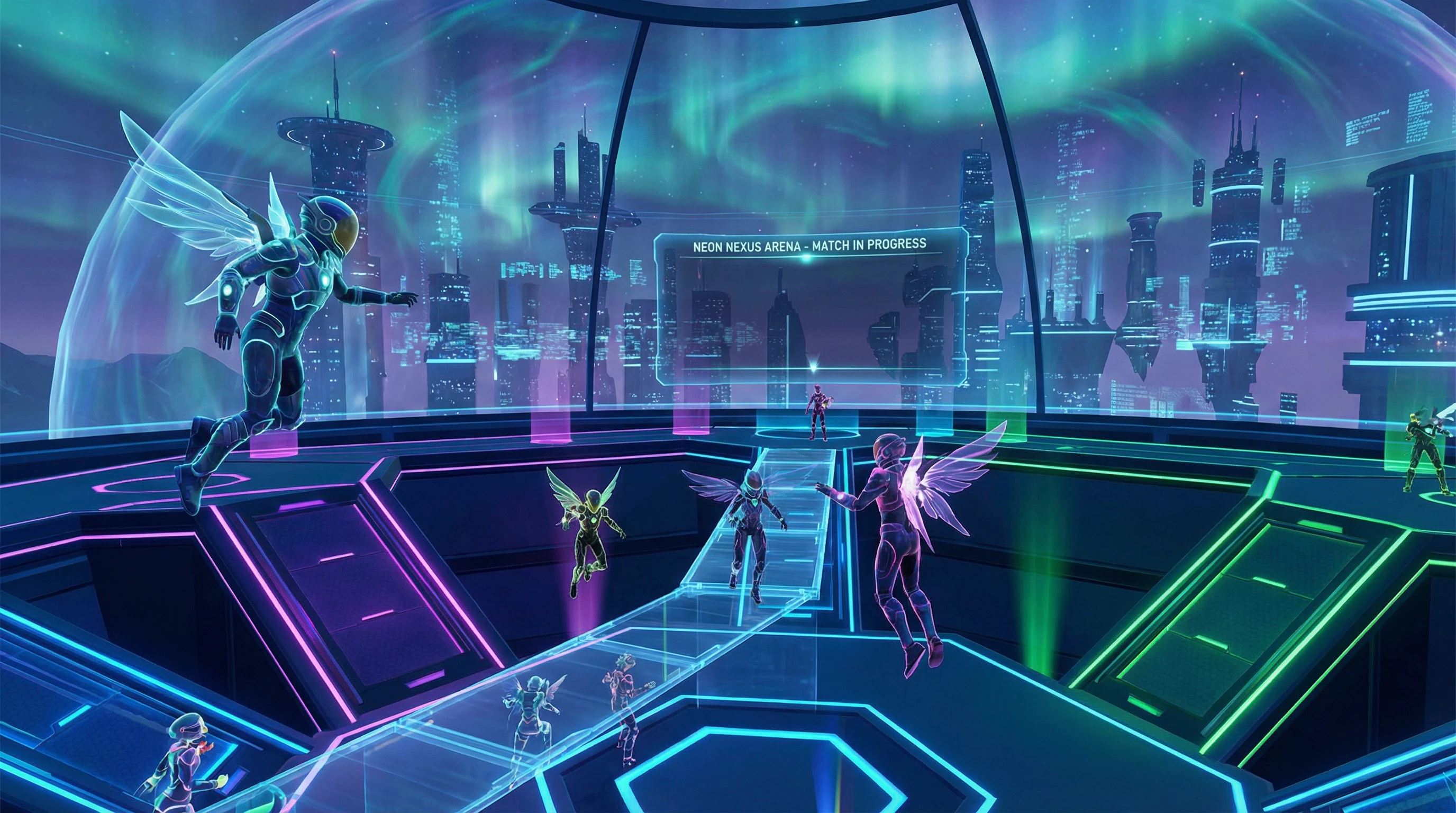
VR gaming is not only about playing solo. Over the last few years, social and multiplayer experiences have taken off, letting real people meet up in digital spaces. Both large studios and indie developers are releasing titles where teamwork, communication, and a dose of friendly competition make everything more fun.
Platforms such as Oculus Quest, PlayStation VR, HTC Vive, and Valve Index have made VR more accessible. Once you have a headset, a whole new world of group activities opens up. Join friends to slay dragons, race futuristic cars, or hang out in virtual lounges. According to Statista, the VR gaming market reached over $1.6 billion in 2023, with a big portion spent on social and multiplayer titles. More players are opting for VR to spend time with friends when getting together in person is tough.
Types of Multiplayer VR Games You’ll Find
There are several main types of multiplayer VR games, each offering something unique. Knowing what’s out there makes it easier to choose the right fit for your group:
- Cooperative Adventure Games: Work together with friends to beat missions, solve puzzles, or take down bosses. Collaboration is the main focus, so it’s great for teamwork.
- Competitive Games: Test your abilities against friends or players around the world. Think virtual paintball, futuristic racing, or dynamic sports experiences.
- Social Spaces: Digital hangouts for chatting, playing mini games, or just messing around in creative environments together.
- Party and Board Games: Classics like trivia, charades, or card games transformed for VR, giving old favorites new life.

Getting Started: What You Need for Multiplayer VR With Friends
Before you get into the fun, you’ll want to make sure everyone is set up properly. Multiplayer VR works best when everyone’s got their gear ready, so here’s what’s needed:
- VR Headset: Every player needs their own compatible headset. The Meta Quest 2 or 3, PlayStation VR2, and PC-based sets like Valve Index are all popular. Some games support crossplay, so friends with different systems can join. Always double-check the game’s FAQ or website for details on compatibility.
- Reliable Internet Connection: A solid WiFi or wired connection is key for smooth play. Lags and disconnects can ruin the vibe, so test your setup before game night.
- Game Copies: Each player usually must purchase their own copy, even for games you play together.
- Optional Accessories: While not necessary, accessories like haptic vests or unique VR controllers can add more immersion for those who want to step up their experience.
Top Multiplayer VR Games to Play With Friends
Some multiplayer VR games stand out for being particularly fun for groups. Here are several worth checking out:
- Rec Room: This is a digital playground packed with activities like paintball, obstacle courses, and usermade rooms. It’s free, with loads of variety, and easy customization lets you set your own pace.
- Beat Saber (Multiplayer Mode): Smash blocks to the rhythm with friends alongside you. Compete for high scores on your favorite tracks and cheer each other on.
- Population: One: Squad-based battle royale gameplay, where flying, climbing, and team tactics keep each match exciting. Good communication is your best weapon.
- VRChat: More of a social playground than a standard game. Try karaoke, play hide and seek, or just explore all sorts of wild user created worlds and avatars.
- The Forest VR: For friends who like survival play, this one has you gathering resources, building, and fighting off enemies. Half the fun comes from arguing about who’s on firewood duty.
- Walkabout Mini Golf: Relaxed, creative, and surprisingly addictive. Play mini golf together on imaginative courses—perfect for winding down the evening.
Developers keep these games fresh by rolling out updates, limited-time events, and new content. You’ll likely stumble upon something novel, even after hundreds of rounds.
Tips for an Awesome Multiplayer VR Game Night
Having hosted several VR sessions with friends, I’ve picked up a few tips that help keep things stress-free and fun:
- Pick Games for Everyone: Not all friends are seasoned gamers. Offer variety—choose games for different skill levels and play styles.
- Use Voice Chat: Game-integrated voice often works, but sometimes an external chat app like Discord offers better quality and reliability.
- Plan Sessions Ahead: Time zones and schedules can be tricky. Propose several playtimes in advance, and pick one that suits everyone.
- Take Breaks: It’s easy to lose hours in VR; schedule breaks for drinks, snacks, and banter. This prevents VR fatigue and keeps the energy up.
- Add Creative Flair: Change up avatars, invent new minigames, or start personal in-game challenges to keep things lively.
Common Challenges (And Their Fixes)
Multiplayer VR is usually smooth, but you might run into hiccups like:
- Technical Problems: Tracking issues or game crashes sometimes pop up. Restarting or updating devices solves most problems. Have everyone update their systems before you start.
- Motion Sickness: Some experience queasiness, especially on games with lots of movement. To keep things comfy, use games with teleport or stationary settings and start slow.
- Connectivity Issues: Lag or dropped connections can break the flow. Wired internet is usually more reliable; if using WiFi, play near the router for best performance.
- Space and Safety: Clear your VR play zones—no running into tables, tripping over pets, or knocking things off shelves. Remind everyone to take breaks and tweak their headset fits if they feel off.
Tackling Motion Sickness
For friends worried about queasiness in VR, modern headsets offer great comfort features. Use settings like blinder effects, teleport-only movement, and slower paces to help. Encourage everyone to take breaks and listen to their bodies. Comfort improves over time but don’t force it.
Crossplatform Play and Compatibility
It can be tricky to make sure everyone’s gear plays nice together. Some popular titles like Rec Room or VRChat offer seamless crossplay for users on Quest, PC, and more. Other games are limited to specific devices. Double-check game websites for compatibility before buying so no one is left out.
Keeping Your Hangout Safe and Private
VR is incredibly immersive, so privacy and safety matter more than ever. Always create private lobbies for game nights with friends. Use in-game mute and block features if needed, and spend a few minutes checking out platform safety tools before everyone joins.
Why Multiplayer VR With Friends Is Worth Trying
The magic of VR is how it makes normal gaming feel so much more real—you’ll feel like you’re actually “there” with your friends. Whether you’re sinking a tough putt in minigolf, taking on a wild spaceship mission, or just hanging out in a digital lounge, you’ll laugh, high-five, and share moments like never before.
Multiplayer VR sparks spontaneous chats, builds inside jokes, and creates team strategies that don’t happen over normal video calls. If you like new adventures and bonding with your friends, VR multiplayer is the best way to set free your creative side and hang out in worlds you can only imagine.
- Social connection: Keep in touch, laugh, and explore with friends worldwide in ways chat or phone calls can’t match.
- Creative teamwork: Many multiplayer VR games encourage you to collaborate in new ways and celebrate cool problem-solving moments.
- Everchanging adventures: Developers frequently add events and new levels, so the fun never runs out.
Frequently Asked Questions
Here are some of the common questions friends ask when they’re curious about multiplayer VR gaming:
Question: What’s the easiest VR game to start with for beginners?
Answer: Rec Room and Walkabout Mini Golf are both beginner-friendly, offering simple controls, forgiving learning curves, and quick customization.
Question: Can people on different VR headsets play together?
Answer: Some games have crossplatform play. Double-check details before purchase since game developers highlight this on their store pages or FAQs.
Question: How do you avoid motion sickness in VR?
Answer: Ease in slowly, use comfort-based movement settings, and make sure to take breaks. Over time, you’ll find your comfort zone.
Time to Jump Into Multiplayer VR With Friends?
Getting into multiplayer VR games is a fantastic way to hang out, laugh, and go head-to-head with your favorite people—wherever they are. Whether your group likes wild, action-packed challenges, building creative worlds, or just bantering over a casual round of minigolf, there’s something for every vibe. Each session has a life of its own, full of funny moments and stories to remember next time. With headsets becoming more userfriendly and affordable, jumping into VR with friends is easier than ever. If your crew is up for a new adventure, now’s a perfect time to check out what multiplayer VR has to offer.