
Getting started with VR isn’t just about picking up a headset. You’ll quickly notice that how you move in virtual reality changes the whole feel of an experience. VR locomotion covers the different ways you can explore and interact with virtual worlds. If you’re new to VR, figuring out how to move comfortably and confidently goes a long way toward making things fun instead of frustrating. Here’s a beginner-friendly look at the main movement methods you’ll run into and a few things that make each one unique.
What Is VR Locomotion?
VR locomotion just means how you get around in virtual reality. Real life movement is simple; you walk, run, or jump. In VR, though, the headset tracks your head, and controllers might track your hands, but your feet are usually standing still. VR developers have come up with a handful of really cool methods to help you move around bigger spaces, even if you’re playing in your living room.
Choosing the right kind of VR movement can make a big difference. Some ways feel really natural but might need more room to play safely or special equipment. Others are super comfortable, even for people who get a little motion sick. The best choice depends on what feels good for you and what works in your space.
Types of VR Locomotion for Beginners
Movement in VR falls into a few main categories, and each has its own upsides and limitations. Most beginner friendly VR games let you pick the method that feels best, so knowing your options helps you jump into new experiences with more confidence.
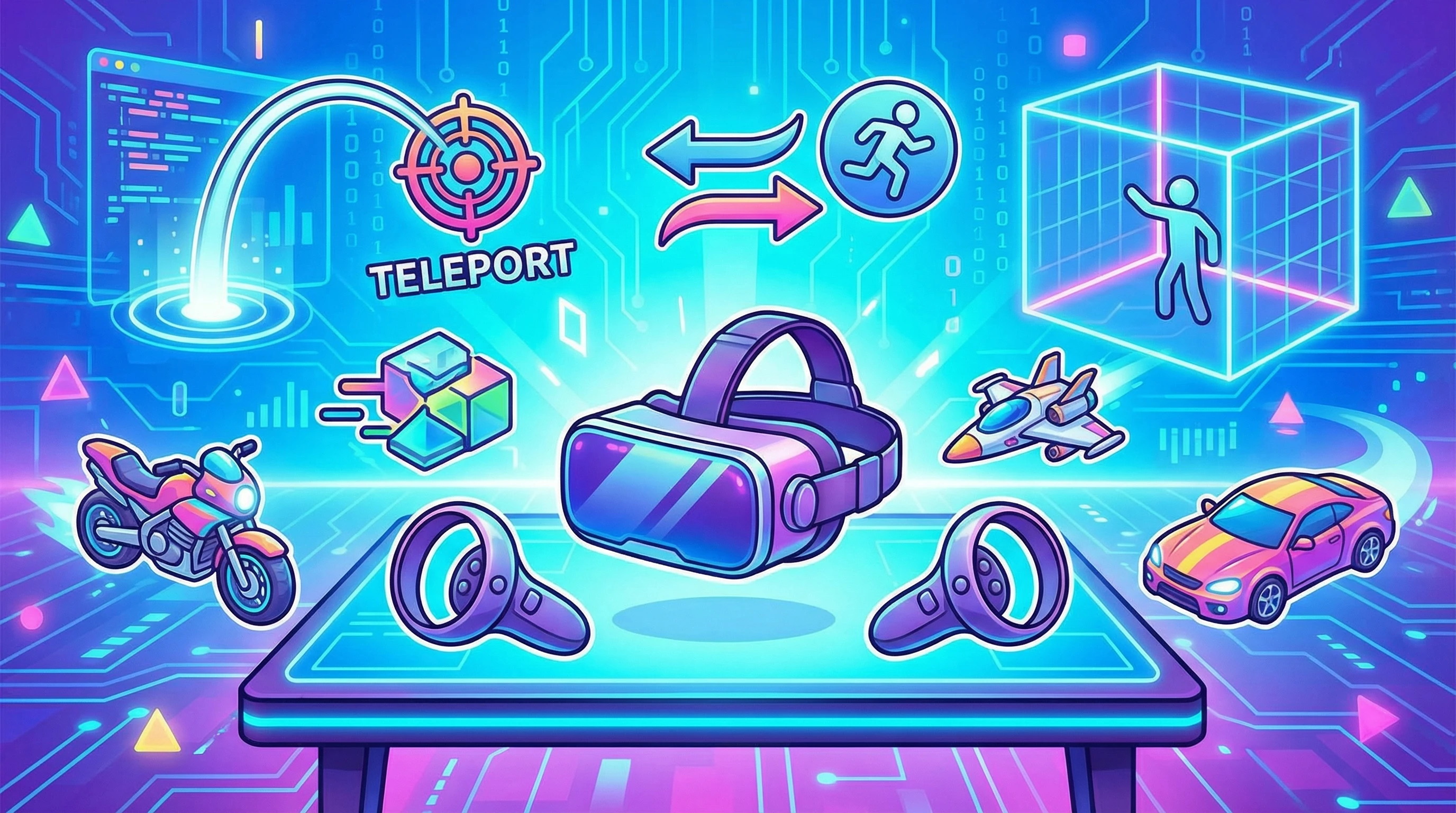
- Teleportation: You point somewhere, hit a button, and you’re instantly there. It’s comfortable and almost never causes VR motion sickness.
- Smooth Locomotion (Analog Stick or Touchpad): You gently push the analog stick to “walk” or “run” in the direction you want. It’s more immersive, but some people start to feel a bit queasy if they aren’t used to it.
- Roomscale Locomotion: You actually walk around the real world, and those steps are tracked in VR. Limited by your available space, but feels the most natural of all.
- Dash or Blink Movement: Similar to teleport, except instead of an instant jump, your view “blinks” or dashes forward quickly. This can feel snappier, and some folks find it comfy.
- Physical Movement (Arm Swinging or Jogging in Place): Some games track your hand or arm movements so swinging them moves your avatar. It’s active and can provide a real workout!
- Vehicle or On Rails Locomotion: You move by controlling a vehicle or riding something on a set path. Motion sickness varies based on the design, so think roller coasters versus slow rides.
All these options give you a way to move in bigger VR worlds than your living room allows. It’s all about finding the one you enjoy the most.
Tips for Picking Your First VR Locomotion Method
If you’re brand new to VR, here’s what helps most people get comfortable with moving around:
- Start Slow with Teleportation: Nearly every beginner finds teleportation easiest. There’s no movement to trigger motion sickness, and the learning curve stays really low. You’ll see this option in games like Beat Saber, Job Simulator, or Rec Room.
- Gradually Try Smooth Locomotion: Once you’re used to being in VR, try games that let you use the analog stick for movement. Start with slower speeds or spend a few minutes at a time and see how you feel.
- Use Comfort Settings: Look for options called “vignette,” “snap turning,” or “reduced motion.” These settings help block out some of the world when you move or turn, which can fight off motion sickness for many people.
- Experiment with Roomscale Modes: If you have enough space (about 2×2 meters or more), games that let you physically walk, crouch, or lean around objects can be super fun. Double check your play area is clear of trip hazards!
Everyone’s comfort level in VR is a little different, so don’t stress if it takes a bit to find what works for you. Go at your own pace and take breaks if you start to feel off.
What to Know Before You Jump Into Advanced VR Movement
As you get more confident exploring different virtual worlds, you’ll notice a few issues that beginners often run into. Here’s a quick rundown of what’s worth keeping in mind as you try new VR movement styles:
- Motion Sickness: This is probably the thing people worry about most. It happens when your eyes think you’re moving but your body disagrees. Teleporting causes almost no problems. Smooth movement can take some getting used to.
- Play Space Size: Roomscale VR is great, but you might only have a few feet to work with. Always map your space and use your headset’s safety boundaries (sometimes called “chaperone” or “guardian system”). That way you don’t smack a wall or your furniture.
- Tracking Limitations: Some headsets use cameras to follow your head and controllers, but sometimes tracking gets lost if you turn or reach in certain ways. This can affect how well armswing or other body based movement works.
- Fatigue: Swinging your arms or jogging in place gives a real workout, but it’s easy to overdo it early on. Keep an eye on how long you play and take water breaks.
Motion Sickness
To cut down on VR motion sickness, keep sessions short when trying new movement types. Drink water, use a fan to keep cool, and don’t push through if you feel weird. Just take a break and come back later. Some folks never have trouble, while others need a little longer to adjust.
Play Space and Safety
Measure your area and let your VR system set boundaries. Always be mindful of pets, little siblings, or anything fragile nearby. If you’re sharing your play space with others, let them know before you swing controllers around!
Comfort Settings
Most new VR games pack in extra settings like tunneling (which darkens the edges of your vision), quick turns, and slower movement speeds. Play with these until things feel right for you. Remember, there’s no “right” way, just what feels good.
Quick Comparisons: How Different Locomotion Types Feel
Just so you have a cheat sheet, here’s a comparison on how each method stacks up for newbies:
- Teleportation: Fast, ultra comfy, low learning curve.
- Smooth Locomotion: Takes some getting used to, most immersive for exploring open worlds.
- Roomscale/Physical: Super natural but only works in big enough spaces.
- Dash/Blink: Great middle ground between smooth and teleport.
- Physical Locomotion: Active and fun, might be tiring quickly.
- Vehicle/On Rails: Experience varies a lot depending on the game.
How Locomotion Impacts Popular VR Games
The way you move changes the tone of a game. Here are some examples where the locomotion style makes a big difference:
- First Person Shooters (like “Pavlov VR” or “Onward”): Most let you choose between teleport and smooth movement, so you can find the best balance between comfort and action.
- Puzzle/Exploration Games (like “The Room VR” or “Moss”): Usually use teleportation or fixed points to walk around their world. Great for lowkey play sessions.
- Fitness and Rhythm Games (like “Beat Saber” or “Supernatural”): These rely on your realworld movement, which is awesome for a good sweat but doesn’t move you around a room much.
- Social VR (like “VRChat” or “Rec Room”): You’ll often have options for every locomotion type, so you can hang out and explore however you feel comfortable.
Frequently Asked Questions
Here are a few questions I hear from folks who are new to the world of VR locomotion:
Question: Why do I feel dizzy sometimes when using smooth VR movement?
Answer: This is super common, especially at first. It usually gets better as your brain gets used to the sensation. Try comfort settings or stick to teleportation until you’re more used to VR.
Question: Do I need a big room for VR?
Answer: You can play most games in as little as 6×6 feet (about 2×2 meters). If you don’t have a lot of room, stick with games that use teleportation or allow you to play seated.
Question: Will I always be stuck with one movement type in a game?
Answer: Not usually! Most VR games let you change movement type or adjust settings for more comfort, so check game options if you want to try something new.
Final Thoughts
Movement is a huge part of what makes VR fun and unique. Getting familiar with different locomotion methods helps you enjoy more games while staying comfortable. Take your time to experiment, stick with what feels good, and you’ll get the hang of VR movement pretty quickly. There’s a ton of worlds to explore, so happy adventuring!