
If you’ve ever pulled off a long VR gaming session or used your headset for work, you know how uncomfortable head straps can get. Sore spots, sweaty pads, and the dreaded VR face can take over pretty quick. I’ve spent countless hours trying different VR headsets and tweaking straps, so I know firsthand how much difference a good strap setup can make. I’m going to break down what really matters for a comfy experience and share practical tips and upgrades for keeping your head happy during those marathon sessions.
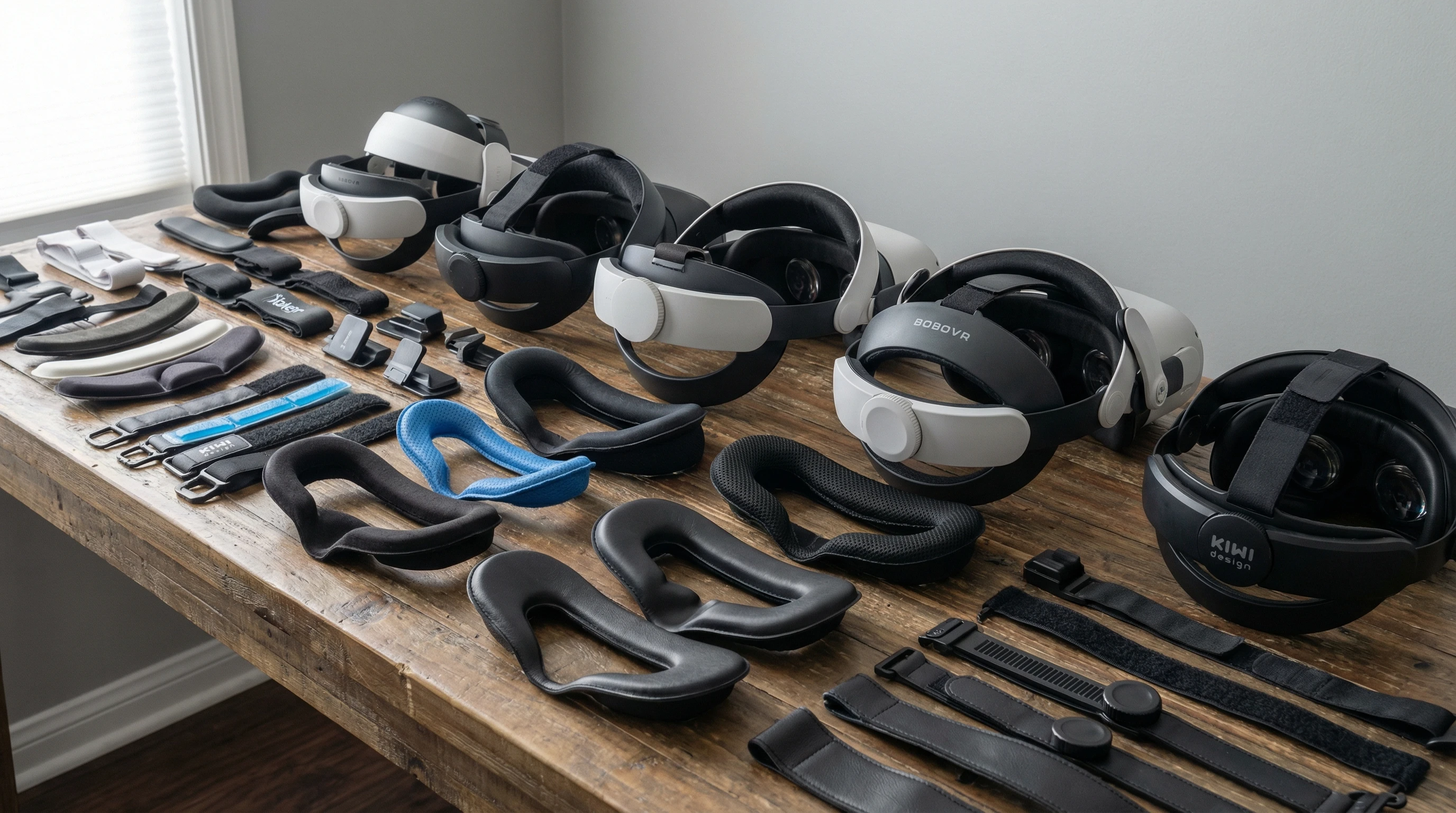
What Usually Makes VR Head Straps Uncomfortable?
Most stock VR head straps are built to save on weight and cost, rather than to offer cushy comfort for hours. Straps dig in along the forehead, sides, and back. Cheap, stiff foams and basic plastic frames press down in uncomfortable ways, especially if you start sweating or shifting around.
Main culprits I’ve noticed:
- Hard Plastics and Thin Padding: The rigid pieces can poke or squeeze certain areas, leading to soreness or “pressure points.”
- Poor Weight Distribution: If the headset feels front heavy, your neck and brow will carry most of the load, which gets pretty tiring over time.
- Limited Adjustability: Not being able to fine-tune the fit makes it almost impossible to dial in true comfort.
- No Ventilation: Heat and sweat can build up fast, giving you a slippery, sticky mess by the end of your session.
Comfort is super important since it directly affects how much VR time you actually enjoy. Improving your setup really isn’t tricky, but it does take a little know-how.
The Basics: Choosing the Right VR Head Strap Type
Head straps come in all shapes and materials, and picking the right style makes a massive difference. Here’s a quick rundown of the main types you’ll see on the market:
- Soft Fabric Straps: These are usually what you get straight out of the box, like on the Meta Quest 2. Lightweight and budget friendly, but they often lack serious support.
- Rigid Halo Style Straps: These have a hard plastic (sometimes padded) ring that sits around your head, helping distribute the weight more evenly. They come in handy for longer sessions, especially if your headset is a bit on the heavy side.
- Hybrid Straps: Mixing fabric and plastic together, these aim for the best of both worlds. Decent support without feeling too bulky or sweaty.
I’ve found that if comfort is your focus, a halo or well padded hybrid strap is usually worth checking out, even though they cost a bit more than basic cloth options.

Upgrading Your Existing Head Strap: Easy Changes That Make a Difference
If you’re not ready to splash out on a fancy new strap, adding accessories or making small tweaks to your current setup can be surprisingly effective. Here are a few things that have helped me and countless others fight off headset discomfort:
- Aftermarket Padding Kits: Soft foam or gel pads made for your exact headset can replace that plasticky stock foam. They’re usually easy to attach with Velcro and provide better support for your forehead and the back of your head.
- Counterweights: A small counterweight (sometimes just a battery pack or weighted pad) attached to the back strap helps balance the headset, so you’re not holding up all the weight with your forehead or cheeks.
- Sweat Absorbing Liners: Adding a sweatband or a dedicated VR facial interface liner (washable!) keeps moisture in check and puts a soft barrier between your skin and the foam.
- Replacement Adjustment Dials: Some straps let you swap in new dials or sliders for a more precise fit. Upgrading these can fine tune the comfort for your head shape.
These tweaks don’t cost a lot and are pretty quick to install, but they can really change how your headset feels in a session that lasts more than half an hour.
How to Get a Perfect Fit for Long VR Sessions
Nailing the right fit is super important for comfort, and I get a lot of questions about whether people are wearing their headset correctly. It feels so obvious, but a small tweak can remove a ton of pressure or weird tight spots.
- Set Strap Height: Place the strap lower on the back of your head (closer to the base of your skull) for better weight support.
- Dial In the Tightness: Adjust until it feels snug but not like you’re compressing your forehead or temples. Your headset should stay put even if you shake your head lightly.
- Balance the Pressure: Double check that the top, sides, and back of the strap all share the load. No one part should feel squished.
- Give Your Skin a Breather: For marathon sessions, take a one minute break every 45 minutes. Move the headset up and let your skin breathe to avoid red marks and soreness.
I sometimes add a soft beanie (thin enough not to interfere with sensors) if I’m playing for hours. It spreads out the pressure from the straps and keeps sweat off the pads. Works especially well for folks with short hair.
Common Problems and Quick Fixes for VR Head Strap Discomfort
- Red Pressure Marks: If you finish playing and have lines on your face, swap out for upgraded foam or loosen the strap a bit. Sometimes just moving the strap placement can fix it.
- Neck Fatigue: A counterweight or halo style strap helps, especially for heavier headsets like the Valve Index. Check Reddit’s r/virtualreality for DIY counterweight ideas if you’re into tinkering.
- Headaches: Straps or pads pressing right against your temples can sometimes trigger a headache. Readjust to avoid direct pressure, and make sure the lens spacing (IPD) matches your eyes to avoid eye strain.
- Sweaty Pads: Sweat wicking covers work well, and don’t be afraid to swap them out or even toss them in the wash every session or two.
How High End Straps and Accessories Help Comfort
If you’re a regular VR user, dedicated head straps from third party brands like KIWI, BOBOVR, or even the official Elite strap for Quest can make those sessions a lot sweeter. These usually feature:
- Fold out dials for micro adjustments
- Thicker memory foam padding (sometimes with cooling gel)
- Better back of head support to counterbalance the front weight
- Swappable battery docks to double up as counterweights and keep you charged longer
I upgraded my Meta Quest 2 strap and instantly noticed less strain on my cheeks and way longer wear time before I needed a break. While it isn’t always a cheap upgrade, it’s one I never regret, especially if you use VR for fitness or work where sessions can run over an hour.
Real World Tips From My Experience
- Handle your padding gently; regularly clean both the foam and any fabric liners to keep oils and sweat from building up.
- If you share your headset, consider using removable facial interfaces for hygiene and everyone’s comfort.
- Check for loose bits or worn Velcro every so often; old, saggy straps lose their comfy feel fast.
- Make notes on what felt comfy after a long session, and keep tweaking until it’s just right. Small changes make a huge difference over time.
Extra Tips for Getting the Most Comfort
Sometimes, combining two or three small upgrades gives a bigger comfort boost than a single large one. Try using a light sweat absorbing liner alongside an aftermarket counterweight, for example. Experiment with the positioning of both the top and back straps too, since a tiny adjustment can dramatically reduce pressure on a sore spot.
If you routinely wear glasses in VR, picking up prescription lens inserts can remove the need to squeeze frames under the headset, reducing pain and hassle. Also, if you tend to move a lot—like in fitness or sports games—choose straps with plenty of grip and fasteners to prevent slipping.
Frequently Asked Questions About VR Head Strap Comfort
How tight should I wear my VR head strap?
As tight as you need to hold the headset in place without any pressure pain. If you feel headaches, loosen the strap a bit. Shaking your head slightly without the headset wobbling is usually a good sign.
What’s the best material for padding?
I really like memory foam or soft gel pads covered in washable fabric. They breathe better and usually hold up to sweat. Silicone is also easy to clean, though it traps more heat.
Are the expensive head strap upgrades worth the money?
If you’re using VR more than a few times a week or for long sessions, an upgraded strap is definitely worth considering. The comfort boost and added adjustability pay off big time over months of use.
Wrapping Up
Keeping VR sessions comfortable isn’t out of reach; it just takes some smart adjustments and maybe a few well chosen upgrades. The right strap, a bit of padding, and a careful fit are all it takes to keep your VR adventures going strong. No sore noggin necessary.
Take your time dialing in your setup, and give yourself permission to tweak and swap parts. Your head, along with your gameplay or productivity, will thank you in the long run.