
If you’ve spent any time in virtual worlds, you already know how big a difference clear lenses can make. Clean VR lenses don’t just boost image clarity; they also help keep your headset feeling comfortable and safe. Miss a bit of maintenance, and you might run into fog, streaks, or even scratched lenses. Keeping your VR headset in top shape is pretty easy, but it does take a little attention to avoid common mistakes that could mess with your gear.
Why Clean VR Headset Lenses Regularly?
It’s easy to forget the lenses when you’re caught up in gaming or exploring virtual spaces, but they’re some of the most sensitive parts of your headset. Dirt, fingerprints, smudges, and dust can blur your view or even trigger eyestrain. Even tiny scratches can lower your image quality, so it’s better to clean your lenses the right way from the start.
Lenses pick up oils and debris every time you use your headset, especially if you share it with others or wear makeup. In my experience, dust loves to find its way onto these surfaces, and a little lapse in cleaning can compound the problem. Regular upkeep keeps your VR display crisp, helps your headset last longer, and just makes your VR sessions much more enjoyable. And if you’re looking to get a really sharp image for maximum immersion, keeping up with this routine is key.
Getting Ready: What You Need Before Cleaning
Before jumping in, having the right supplies on hand helps a lot. Not all cleaning tools are safe for VR lenses; some can actually cause micro-scratches or leave residue behind. Here’s my usual setup:
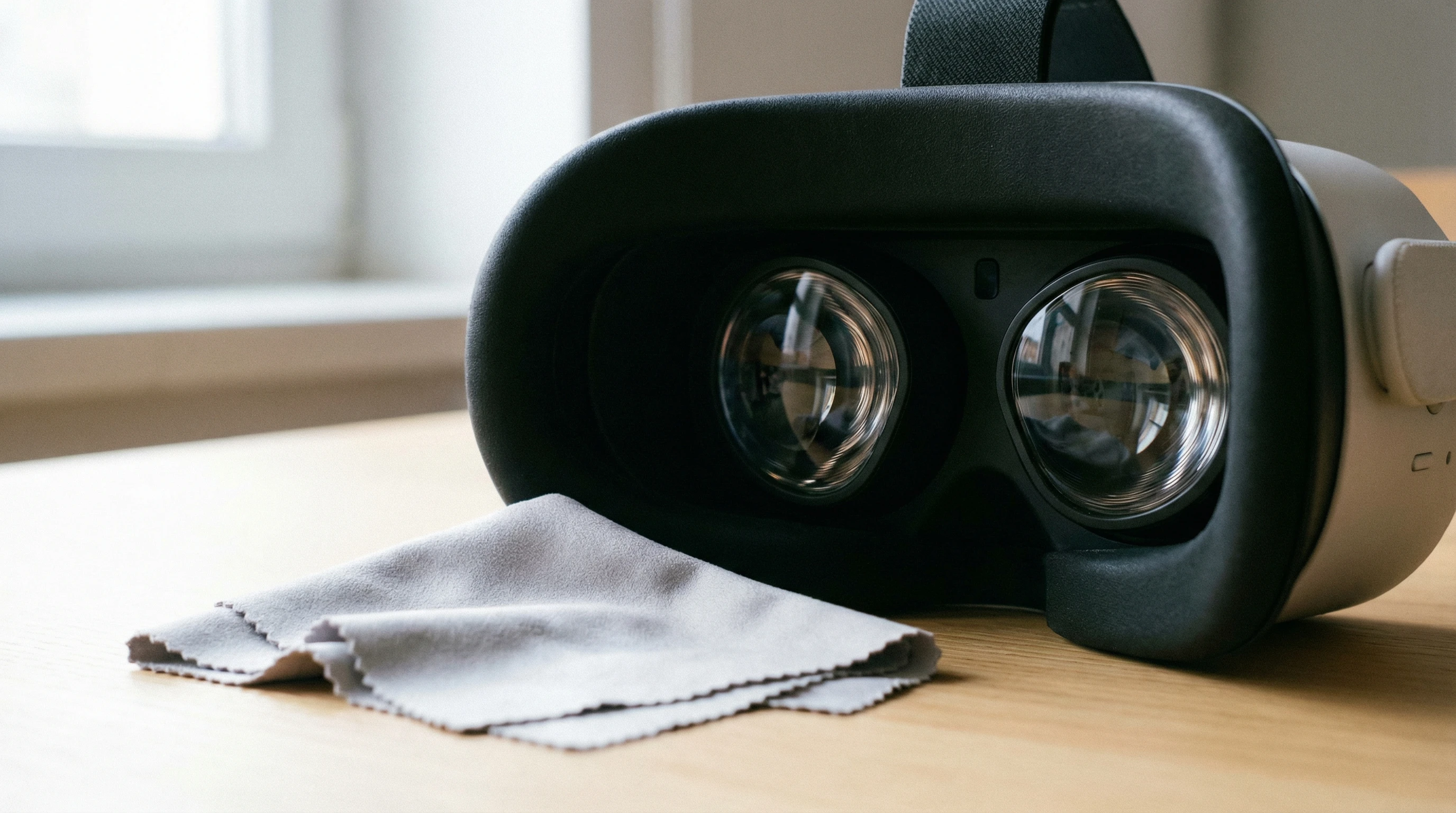
- Microfiber cleaning cloth: This one is nonnegotiable. Paper towels and shirts can scratch or leave lint.
- Lens cleaning solution (optional): If you go this route, use something made specifically for optics. Skip household cleaners; they’re too harsh.
- Soft lens brush or blower: Removes loose dust without much contact.
- Storage case or dust cover: Prevents dirt buildup between uses.
If you want to keep it simple, a dry microfiber cloth often does the job unless there’s stubborn grime. VR headset makers like Oculus and PlayStation recommend soft, gentle cleaning over chemical-heavy solutions. You may also want to keep a backup microfiber cloth handy in case the original gets too dirty.
Step By Step: How to Clean VR Headset Lenses Safely
Getting great results is mostly about being gentle and patient. Here’s a breakdown of my go-to process for cleaning VR lenses:
- Power Off the Headset: Shutting down reduces the chance of static attracting more dust or accidental smudges.
- Remove Loose Dust: Use a lens blower or soft brush to remove particles from the lens surface. I always check for dust first so I don’t drag it around with the cloth.
- Use a Microfiber Cloth: Gently wipe in a circular motion starting from the center and moving outward. Avoid pressing too hard; light pressure works best for most smudges.
- For Stubborn Spots: If there’s still residue, you can dampen a corner of the microfiber cloth with a tiny amount of lens cleaning solution. Never spray liquid directly on the lenses.
- Buff to Finish: Use a dry part of the cloth to finish up and make sure there’s no moisture left behind.
Avoid using tissues, rough fabrics, or alcohol-based cleaners. They can scratch your lenses or mess up coatings. If you get into the habit now, your headset will thank you for it down the road. Remember, a little patience goes a long way when it comes to delicate surfaces.
Common Mistakes to Avoid When Cleaning VR Lenses
VR lenses aren’t like camera lenses or glasses; they’re even more prone to damage from the wrong cleaning methods. Here are a few mistakes I see people make that are totally avoidable:
- Using household cleaners: Cleaners for windows or glasses can be too harsh for headset lenses and mess up anti-glare coatings.
- Wiping without removing dust: Even soft cloths can scratch lenses if there’s dust on them, so always check before wiping.
- Applying too much pressure: Pressing hard can scratch or warp lenses, especially with soft VR plastics and coatings.
- Skipping regular cleanings: Letting grime build up makes it harder to clean and increases the risk of scratches.
Staying on top of these things keeps your headset in great condition. If you find yourself short on time, at least do a quick glance for dust before wiping anything down.
How Often Should You Clean VR Lenses?
How often you clean depends on how much time you spend in VR and whether you share your headset. I typically wipe down my lenses after every few sessions, with a deeper clean if there are visible smudges.
If you’re using VR daily or letting friends take turns, a quick wipe after each use can keep things under control. It also helps prevent oils and sweat from building up, which can attract more dust over time. For heavy users, setting a reminder for deeper cleaning every week or two can keep things running smoothly. If you notice that your view is starting to look a bit blurry or there are spots you can’t seem to blink away, it’s probably time for a quick cleaning session.
Tips for Preventing Lens Fog, Scratches, and Dust
A clean lens is only part of the picture. Here are a few things I do to keep my lenses in good shape between cleanings:
- Avoid touching lenses with fingers: Even the cleanest hands can leave oils and smears. Make a habit of gripping your headset by the frame.
- Use the lens spacer: If your headset includes one made for glasses wearers, it keeps surfaces from pressing together and creating scratches.
- Store your headset properly: When not in use, keep it in a dustfree area or with a cover over the lenses.
- Watch out for humidity: Fogging is more common in muggy rooms. Let your headset adjust to room temperature before wearing, and consider anti-fog wipes designed for optics if this is a persistent problem.
Taking off the headset for a few seconds during use sometimes helps with fogging, especially if you run hot during active games or workouts. For those who are particularly sensitive to temperature shifts, keeping the headset in the same room where you’ll be using it for a while before starting can help prevent sudden fogging.
Long Term Maintenance Habits That Really Help
Clean lenses will only get you so far if the rest of your habits aren’t solid. Here’s what I’ve learned helps most for keeping your VR visuals sharp:
- Always return your headset to its storage spot after use—preferably where it’s protected from dust and sunlight.
- Check the lenses for dust before putting on or removing the headset; it only takes a second and saves hassle later.
- If you wear makeup while using VR, keep it light around the eye area to avoid leaving residue on the lenses or foam.
- Replace your microfiber cloth regularly, especially if it gets dirty, gritty, or starts leaving lint behind.
- Consider buying extra lens covers if you travel with your headset a lot, as extra protection makes a big difference during transport.
Some VR users also put stickon protective films over their headset lenses. While these can slightly reduce clarity, they do add a layer of peace of mind for folks prone to scratches. If you tend to be a bit rough with your gear (or often let kids play), this can be worth considering as an extra precaution.
FAQ: Cleaning and Caring for VR Headset Lenses
Cleaning your VR headset doesn’t need to be intimidating. Here are a few questions I see pop up a lot:
Q: Can I use my glasses cleaning spray?
A: Only if it’s alcoholfree and clearly labeled as safe for lenses with coatings. Most of the time, a dry microfiber cloth is safer and works just fine.
Q: What if my lenses are already scratched?
A: Minor scratches probably won’t go away, but you can keep them from getting worse. Use lens covers and clean with extra care moving forward. For big scratches, check if your headset maker offers replacements.
Q: Is it okay to use compressed air for dust?
A: Go gentle. I use a manual lens blower or a soft brush; compressed air can sometimes blow dust deeper into the lens edges or even leave condensation if used too closely. If you must use compressed air, keep some distance.
Q: My VR headset fogs up a lot! Any tips?
A: Anti-fog wipes (for lenses, not masks), keeping the headset at room temp, and short breaks during use all help. Sometimes a small fan in the room helps as well. If it’s a big issue, look into specialized lens inserts that cut down on fog.
Q: Can I clean the lenses with water?
A: Plain water is sometimes okay for a light dampening of your microfiber cloth—use barely any, never soak the cloth, and never let water drip on the lenses. Make sure everything dries quickly to avoid leaving spots.
Final Thoughts and Everyday VR Lens Care Tips
Keeping your VR headset lenses clean and in shape isn’t a big chore, but it does make a big difference for both visual clarity and hardware life. Treat your VR setup with a little TLC and you’ll notice the improvement every time you step into a new virtual world. Clean gently, use proper gear, and store your headset thoughtfully, and you’ll get way more out of your VR experience. Wrapping up, staying consistent with a simple cleaning routine is the real secret to crystal clear visuals and a longer lasting headset—happy exploring!