
VR gaming takes immersion up a notch, but the controller you use can change everything about your experience, from how comfortable you feel to how well you can interact with your games. Over the years, the number of VR headsets and controllers available has grown a lot, making things a bit confusing, especially if you’re just stepping into VR. Here’s my personal guide to picking the right controllers so you can get the most out of your VR sessions and have a blast exploring virtual worlds.
Why VR Controllers Matter More Than You Think
The kind of controller you choose for VR isn’t just a tech decision; it shapes how you play and what you can actually do in the game. VR controllers are designed to track your hand movements, pick up gestures, let you grab virtual objects, swing swords, shoot blasters, or simply scroll through menus without needing an oldschool joystick or mouse.
If you’ve tried a few different controllers, you probably already know that some feel natural and others can be awkward or tiring. Getting the right pair makes games feel smoother, keeps your hands from cramping, and even helps you play for longer without needing a break. This little step goes a long way, especially as VR games are getting more complex and interactive by the day.
Understanding the Different Types of VR Controllers
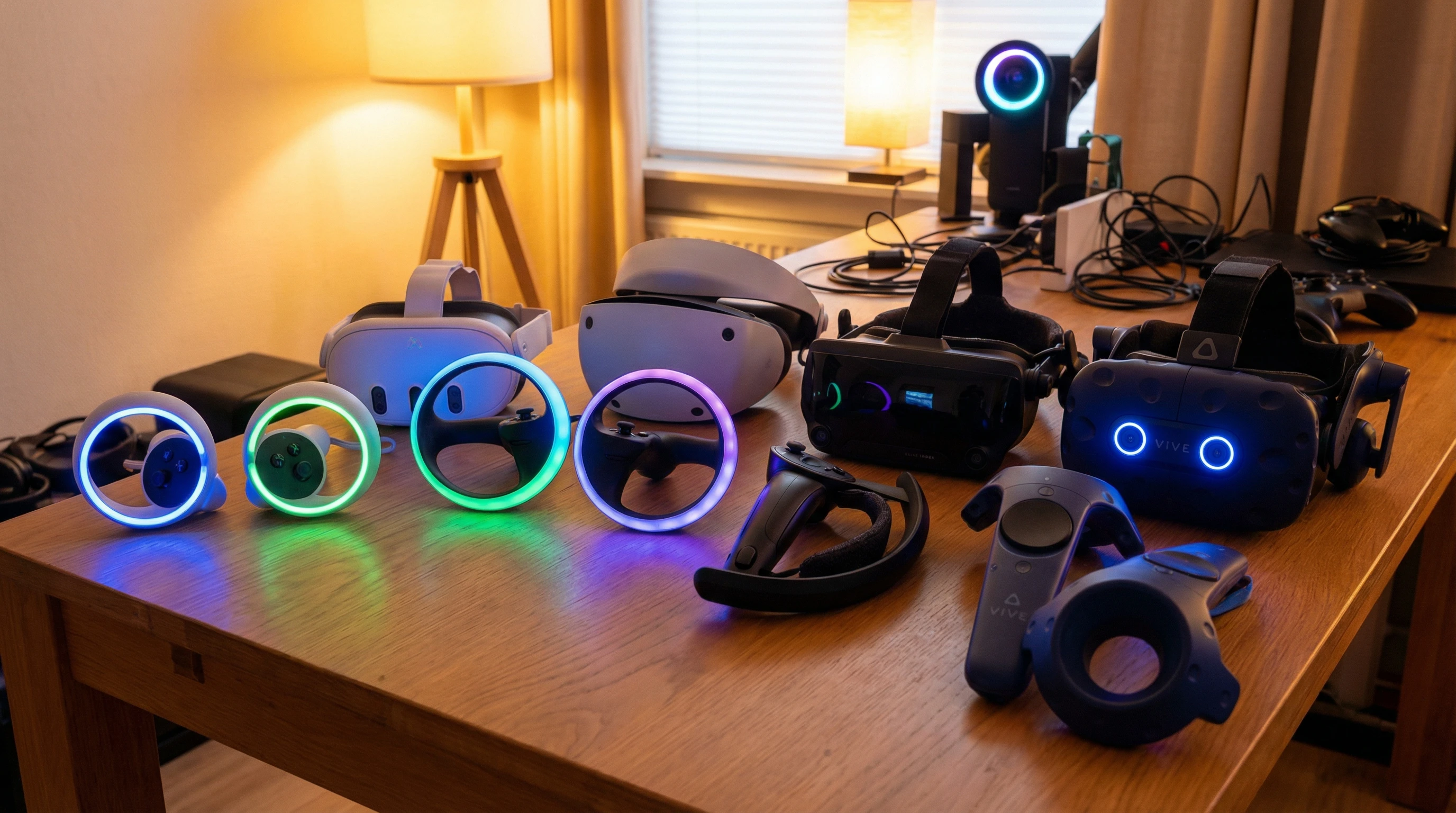
Not all VR controllers work (or feel) the same. They come in a bunch of shapes and can use different tracking methods. Here are the three main styles you’ll probably see on the market:
- Wand Controllers: These are the classic style that kicked off mainstream VR. Think the controllers that came with the HTC Vive. They rely on external sensors and feel a bit like holding a baton.
- Tracked Motion Controllers: These are now the most common, like Oculus Touch or PlayStation Move. They usually have sensors or IR lights built in, letting cameras or headset sensors follow their position and rotate in 3D space.
- Finger Tracking or Haptic Controllers: More advanced options, like the Valve Index knuckles, let you make natural hand gestures or even track each finger. Some add cool haptics with force feedback or vibrations to mimic what you’re holding in the game.

What to Look for When Shopping for VR Controllers
Picking a controller isn’t just about specs; we’re talking about how it feels in your hands, how well it plays with your headset, and what kind of games you’re into. Here are the areas I always consider before buying:
- Compatibility: Not every controller works with every headset. Make sure the one you choose is compatible with your VR system. Some brands lock down their hardware, while others work across a few systems (with a bit of tweaking).
- Ergonomics and Comfort: If you’re spending an hour or two in VR, you want something light and easy to grip. Bulky or oddlyshaped controllers can tire your hands out faster than you think.
- Tracking Precision: More precise tracking usually means more precise gameplay. Controllers with better sensors and less latency work well for fastpaced games or anything where accuracy is important, like archery or VR painting.
- Button Layout and Customization: Everyone’s hands are different. Some controllers put buttons and joysticks in easy reach, while others feel like you’re stretching or fumbling for simple commands. Some highend controllers let you remap or customize buttons, which is really helpful.
- Battery Life: Nothing breaks the mood like running out of juice mid session. Rechargeable options are nice, and so are controllers that let you swap out batteries on the fly.
- Price and Accessories: Top tier controllers can get expensive, especially if they offer haptic feedback or finger tracking. Sometimes, the extras are worth it (for hardcore fans), but budgetfriendly models usually do the trick for most gamers.
Quick Steps for Picking the Right Controllers
Finding your match isn’t always easy, but there’s a process I always use:
- Start with Your Headset: Look up which controllers your headset supports. Official site help pages are great for this.
- Decide How You Like to Play: Are you into fitness games, shooters, creative apps, or chill storydriven adventures? Actionheavy games really benefit from great tracking and comfort, while puzzle or passive games might be fine with simpler gear.
- Check Reviews and User Feedback: Real user opinions on forums or YouTube give you the lowdown on comfort, durability, and tracking accuracy. Sometimes, small issues (like button wear or tracking glitches) only show up with regular use.
- Think About Futureproofing: Sometimes, buying the slightly better option now can save you from upgrading again in a year, especially as new games take advantage of advanced controller features.
- Test InStore (If Possible): Trying before you buy is ideal. Many electronics shops will let you demo a headset and controllers for a few minutes.
Common Challenges and How to Deal with Them
Controllers can trip you up in a few ways, especially if you’re new to VR. Here’s what I often see and some easy fixes:
- Battery Management: Keep a few spares charged and ready or use a docking station. Some controllers charge through USB C, which makes things a bit easier if you already have modern charging cables.
- Connection Issues: Sometimes wireless controllers disconnect. Keeping firmware up to date helps a lot, and sometimes moving away from crowded WiFi areas to avoid interference can sort things quickly.
- Lost or Broken Controllers: Replacement parts can be expensive, but some brands sell single controllers instead of full pairs. It’s worth safeguarding your controllers with a silicone grip case or wrist straps if you’re worried about accidental drops.
- Discomfort or Fatigue: If you feel sore after playing, look for thirdparty grips or extenders. Adjusting the game’s settings for less physically demanding controls or more comfortable button layouts also helps.
Upgrading for Advanced Features
Once you’ve got a feel for basic controllers, you might want to sneak into some advanced territory. Haptic feedback, for example, creates more convincing sensations, like a thud when you hit a virtual ball or the tension of pulling a bowstring. Some controllers allow fingerbyfinger motion tracking, which comes in handy for games that require realistic hand gestures. If your headset supports these features, it’s worth checking out to see what they add to your VR experience. These advanced features often set apart enthusiast controllers from the mainstream crowd, and can turn a simple VR session into an eye catching adventure.
RealWorld Scenarios and Controller Choices
I remember trying Beat Saber for the first time with basic controllers. Honestly, tracking missed a bunch of my movements, and it got frustrating fast. Upgrading to a controller with faster sensors totally turned things around, making fastpaced games smoother and more fun. If you spend a lot of time in creative apps or social VR, finger tracking brings another level of expressiveness, letting you point, high five, or gesture naturally.
- Fitness and Rhythm Games: Look for lightweight, grippy controllers that keep up with repeated swings and punches.
- First Person Shooters: Prioritize precise tracking and comfortable buttons/joysticks for quick aiming and rapid actions.
- Simulation or Creative Apps: If you’re building, painting, or sculpting, ergonomic shapes and detailed hand tracking make long sessions comfortable.
Frequently Asked Questions about VR Controllers
Some common questions pop up all the time, so here are a few answers from my own experience:
What’s the best VR controller for beginners?
Answer: Oculus (Meta Quest) Touch controllers are a good starting point; they’re comfortable, widely supported, and easy to learn. Most major VR headsets bundle a solid set in the box.
Do I need to buy special controllers for every headset?
Answer: Usually, yes. Each headset often needs its own compatible controllers. Some PC based VR systems have adapters, but you’ll get the smoothest experience with matching gear.
How do I keep my controllers from flying out of my hands during intense games?
Answer: Use the included wrist straps and look for silicone grip covers. They help with moisture and stop accidental drops, especially during sweaty fitness sessions.
Can I use thirdparty accessories to improve comfort?
Answer: Absolutely. There are lots of addons out there, from grip extenders to custom skins, that can make any controller a better fit for your hands.
Controller Accessories to Give Your Setup a Boost
If you want to tweak your setup even further, there are tons of accessories worth checking out. Charging docks keep your controllers ready to go between sessions. Grip mods make controllers easier to hold, and specialty addons, such as gun stocks for shooters or tennis rackets for sports games, can make everything feel more realistic. With more accessories coming out as VR spreads like wildfire, you can always find something to match your style or step up your game.
Hard carrying cases help if you take your VR gear on the go, keeping your investment protected from bumps and scrapes. And while these extras aren’t absolutely necessary, they do make VR more comfortable and fun overall. Many advanced players use these to make VR play smoother and less of a hassle, and they’re especially good for anyone who hosts game nights or wants to bring their headset to a friend’s place.
Choosing VR controllers isn’t just about upgrading your gear; it’s about getting the most out of your games, keeping things comfy, and making VR feel as real as possible. The more time you spend with different options, the more you’ll know what fits your play style and keeps you coming back for more adventures in virtual worlds. No matter what headset or game you prefer, spending time researching and testing different controllers gives your VR hobby a big boost, making each session more enjoyable and immersive.