
VR gaming has really exploded in the past few years, moving from a cool novelty to a fullblown way to experience games in totally new ways. If you’re into gaming and looking to step things up, getting the right VR headset can seriously change up your play sessions. With so many models out there, picking the perfect headset can feel a bit overwhelming, especially if you’re new to VR. I’ll break things down and highlight the top VR headsets that make a big difference for gamers, plus what to keep in mind if you’re shopping around for your first or next device.
Why VR Headsets Matter for Gaming
VR gaming means you’re not just watching a screen; you’re right in the middle of the action. You get to move your head, reach out with your hands, and actually feel like you’re inside the game world. This boost in immersion can totally switch up how a game plays, turning simple puzzles or horror scenarios into heartpounding experiences.
The market has become pretty packed with options, from highend wireless headsets that work without a PC, to units that connect to serious gaming rigs for the best graphics out there. VR’s popularity has pushed major developers to create games designed for these platforms, which means more choice than ever for gamers.
Even if you only game occasionally, the experience of playing in VR really stands out compared to sitting in front of a monitor or TV. If you’re curious about which headset is your ticket to the best VR gaming sessions, it helps to know what features and specs really make a difference.
Finding the Right VR Gaming Headset for You
Before picking out a new VR headset, it’s useful to know what goes into making one great for gaming. Some of the key factors come down to comfort, screen quality, how you interact with your hands, and what it takes to get started—like needing a powerful PC or not.
If you’re new to all this, here are some terms that pop up a lot when folks talk VR gear:
- Field of View (FOV): This describes how much of the virtual world you can see through the headset at once. The wider, the better for immersion.
- Refresh Rate: A higher rate means smoother visuals, which isn’t just prettier but also helps reduce motion sickness.
- Tracking: Good tracking lets you move naturally in all directions and have those movements show up instantly ingame.
- Standalone vs. Tethered: Standalone VR doesn’t need a PC or console, while tethered headsets connect to a computer or PlayStation, which can mean better graphics but more cables.
Comfort remains a top concern. A headset that feels heavy or pinches can take you out of the moment. Also, keep in mind whether you wear glasses, since not every headset fits easily over them. Consider battery life for standalones and think on if you have enough space for roomscale games.
Best VR Headsets for Next Level Gaming
Some headsets come up again and again in gamer discussions, and for good reason. Here are my top recommendations, based on ease of use, comfort, performance, and overall fun factor:
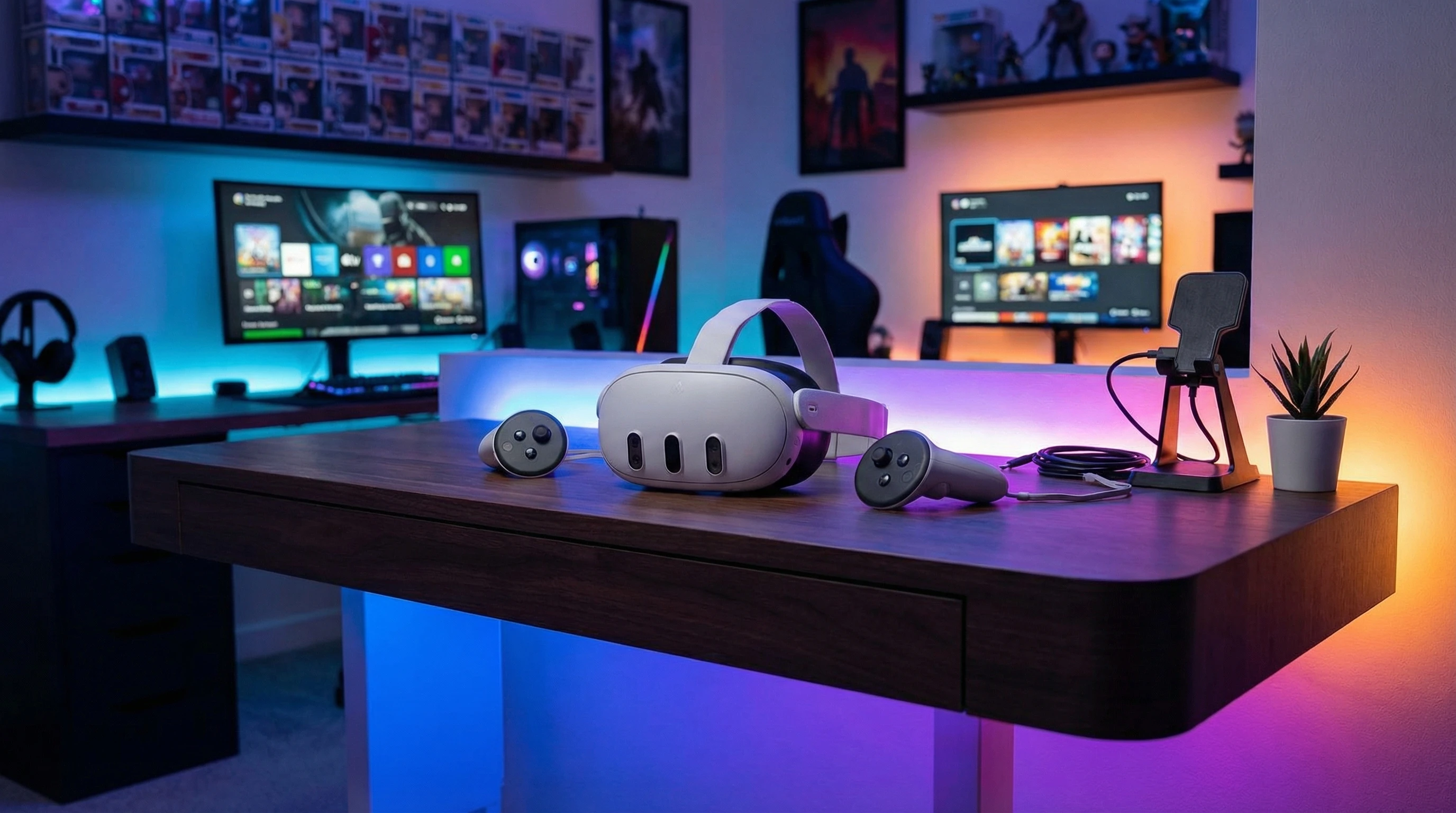
- Meta Quest 3: Super popular for a reason; it’s wireless, lightweight, and packs upgraded visuals with a nice, wide field of view. Plus, it’s got a big library of games right in the headset with no extra gear needed. You can also hook it up to a PC for access to even more games, which is pretty handy.
- Valve Index: Known for super smooth tracking and a wide FOV, this one delivers really sharp visuals and toptier motion controls. It does need a gaming PC and some extra setup for sensors, but the results are worth it if you want premium PC VR.
- PlayStation VR2: If you’re already running a PlayStation 5, the PS VR2 gives you easy setup, cool haptic controllers, and games made just for Sony’s console. The OLED display is something you’ll notice right away. Bright colors, deep blacks, and crisp details.
- HP Reverb G2: A good pick for PC gamers who want highres visuals without spending quite as much. It’s lighter than some others, with comfy padding and insideout tracking (no external sensors required).
- Pico 4: If you’re not in the US, the Pico 4 stands as a great standalone VR headset with sharp lenses and advanced hand tracking. It’s worth checking out, especially for fitness or social VR apps too.
VR Headset Features to Watch For
Not all VR headsets are the same, and some details can make a world of difference when gaming for hours at a time. Here’s what to keep on your radar:
- Comfort: Look for adjustable head straps, built in padding, and lightweight designs. Extended sessions with a heavy headset can get tiring fast.
- Display Quality: You’ll want high resolution per eye and fast refresh rates (usually at least 90 Hz) for clear, smooth visuals that don’t blur when you turn your head quickly.
- Controllers: Good motion controllers matter. Having responsive, ergonomic controllers makes everything from sword fights to drawing with virtual paint feel more natural.
- Audio: Great audio adds to immersion. Some headsets come with built in speakers or headphones that deliver 3D sound, which really helps you sense where things are coming from ingame.
- Room Setup: Some headsets need you to set up sensors or use cameras to track you in your room, while others have insideout tracking that works anywhere. Think about your gaming space before buying.
- Compatibility: Make sure the games you care about most are available on the headset you’re eyeing. Library size can vary a lot between platforms.
How to Get Started With Your First VR Headset
Picking your first VR system doesn’t have to be stressful. Here’s a quick breakdown to help you get rolling:
- Figure Out Your Setup: If you already have a good gaming PC or PlayStation 5, a tethered headset can be a great option. If not, standalone models will let you jump in right away without extra hardware.
- Measure Your Space: Make sure you’ve got enough room to move around safely. Most VR games recommend at least 6×6 feet of open space.
- Try Before You Buy: If you can, demo different headsets in person. Sometimes local electronics stores or VR arcades let you test a few models, which helps with finding the best fit and comfort for your head shape.
- Start With Easy Games: Not every VR game is a big, motionheavy experience. Try some chill titles to get used to moving and interacting before stepping into more active games.
- Adjust the Fit: Spend a few minutes tweaking the straps, lens spacing, and focus for your eyes. Comfort and clear visuals pay off big, especially over longer sessions.
Taking these steps can help you avoid motion sickness, discomfort, or early burnout, making your VR adventure a lot more fun. Plus, the right setup ensures a longlasting, enjoyable experience.
Things to Know Before Buying a VR Headset
Like with any new tech, VR comes with a learning curve. Here are a few key issues and tips that might help you sidestep common hassles:
- Motion Sickness: Some people feel dizzy or nauseated at first. Take breaks often, and pick games with smooth, natural movement. Most folks adjust within a week or two of regular playing.
- Cable Management: If you go for a tethered model, watch your feet and avoid getting tangled. Simple Velcro wraps or wireless adapters can make moving around a lot smoother.
- Eyeglasses: Many headsets work fine over glasses, but check before you buy. Some offer extra face pads or lens inserts for the best fit.
- Battery Life (for standalone headsets): Expect two to three hours between charges. Having a backup battery or playing near an outlet can help if you game a lot.
- Updates and Support: Manufacturers push out regular updates for better performance or new features, so keep your firmware up to date for the smoothest experience.
Motion Sickness
It’s common for newcomers to feel a little woozy during their first sessions. If this happens to you, don’t push through it. Take frequent breaks, try standing still games, and work up to more intense titles as your body gets used to VR.
Cable Management
Cables can trip you up in the heat of the moment. Moving them behind you or using hooks and clips goes a long way toward a safer and more comfortable play space, so always check your setup before starting.
Eyeglass Compatibility
If you wear glasses, look for headsets that come with extra room or custom lens adapters. It makes a surprising difference in comfort and clarity, letting you fully enjoy your games without distractions.
Battery Life
For standalone VR, battery life can cut sessions short. Keeping a charging cable within reach or snapping in a power bank helps you stay in the action longer, so consider power needs if you plan on longer gaming sessions.
Extra Tips for Eye-Catching VR Gaming Sessions
Once you’re comfortable inside your headset, consider these tricks for taking your play up a notch:
Stay Active: Some games get you moving more than others—VR fitness titles can double as your daily workout.
Explore VR Mods: Some PC games have community mods for VR support (like HalfLife or Skyrim), which can really change games you already love.
Try Social VR: There are loads of apps for meeting and gaming with friends, from virtual rec rooms to live concerts. It’s a fun way to stay connected, especially for multiplayer fans.
Clean Your Lenses: Smudges and dust can break immersion fast. Use a microfiber cloth for crystalclear visuals every session.
Real-World Impact and VR Gaming Moments
Stepping into VR isn’t just about flashy tech. I’ve spent hours fighting robots, flying in space, or painting huge murals on virtual walls, all without leaving my living room. The right headset lets you dodge arrows, take in fantasy landscapes, or compete with friends, and every detail feels more real than any flat screen can show. If you want to see what gaming could feel like in the future, VR headsets really deliver.
- Action Games: Slash, shoot, and block with your whole body for a workout and a real sense of achievement.
- Racing Sims: Tight turns and firstperson driving become wild and super immersive in a VR cockpit.
- Creative Tools: 3D painting or sculpting with your hands brings out creativity in cool, unexpected ways.
Frequently Asked Questions
Here are a few common questions gamers usually have about VR headsets:
Q: Do I need a gaming PC for VR?
A: Not necessarily. Standalone VR headsets like Meta Quest 3 don’t need a PC, but connecting to a gaming PC can open up more powerful, complex games.
Q: Is VR safe for kids?
A: Most headset makers recommend their devices for ages 12 and up. Always check specific age guidelines for each headset.
Q: How do I prevent motion sickness in VR?
A: Start with slowerpaced games, take breaks, and adjust settings like the field of view. Most people adjust with practice.
Q: What VR headset has the most games?
A: Meta Quest headsets and SteamVR compatible models (like Valve Index) have the biggest game libraries right now.
The best VR headset for your gaming style is out there. Choosing one with the right balance of comfort, visuals, and available games is really important for making every session awesome. Whether you’re brand new to VR or looking to upgrade, there’s never been a better time to jump in!